Volt AI
Ask Volt AI about your projects or hand it work. It acts with your rights.
Ask or delegate
Open Agent in the sidebar and write what you need: “How is Sprint 23 going?”, “What is blocking the release?”, “Create issues from this spec”. Volt AI answers from your workspace’s issues, docs, meetings and pull requests, and can change them for you.
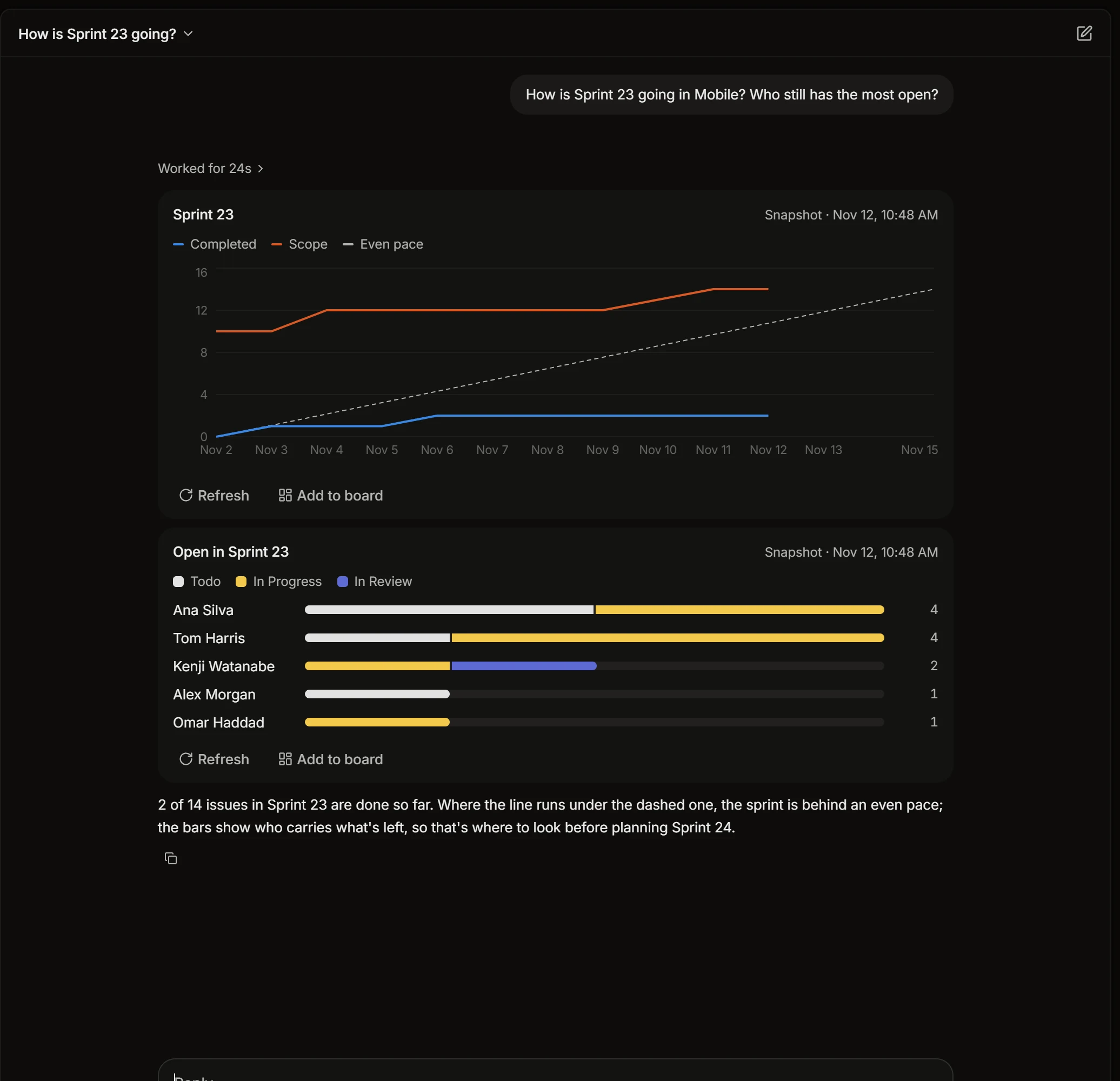
It works with your rights: it sees what you see and can change what you can change.
The button in the corner of every page opens the same Volt AI in a panel, next to what you are looking at, so “this issue” and “this doc” mean the one on the screen.
What it can do
- Answer with numbers. Counts, cycle time, a sprint’s burn-up, hours by person, as a chart you can refresh or put on a board with Add to board.
- Find and read. Issues, comments, docs, meetings you were in, pull requests.
- Change things. Create and update issues, split one into sub-issues, write a doc, comment, log time.
- Remind you. “Remind me on Monday to check the cutover plan” comes to your Inbox then.
- Set up loops. Describe a recurring job, and it writes the loop.
Confirm and undo
Before Volt AI deletes anything, it asks for your OK. What it changed can be taken back: its answer has Undo for a change and Undo all for the lot. If someone else has edited the same thing since, undo steps aside instead of overwriting them.
Mention it in a comment
Write @Volt in a comment on an issue, and Volt AI answers right there, where the rest of the team reads it. It answers for the person who asked, with that person’s rights.
Skills
A skill is a saved instruction you call by name: type / in Volt AI and pick it.
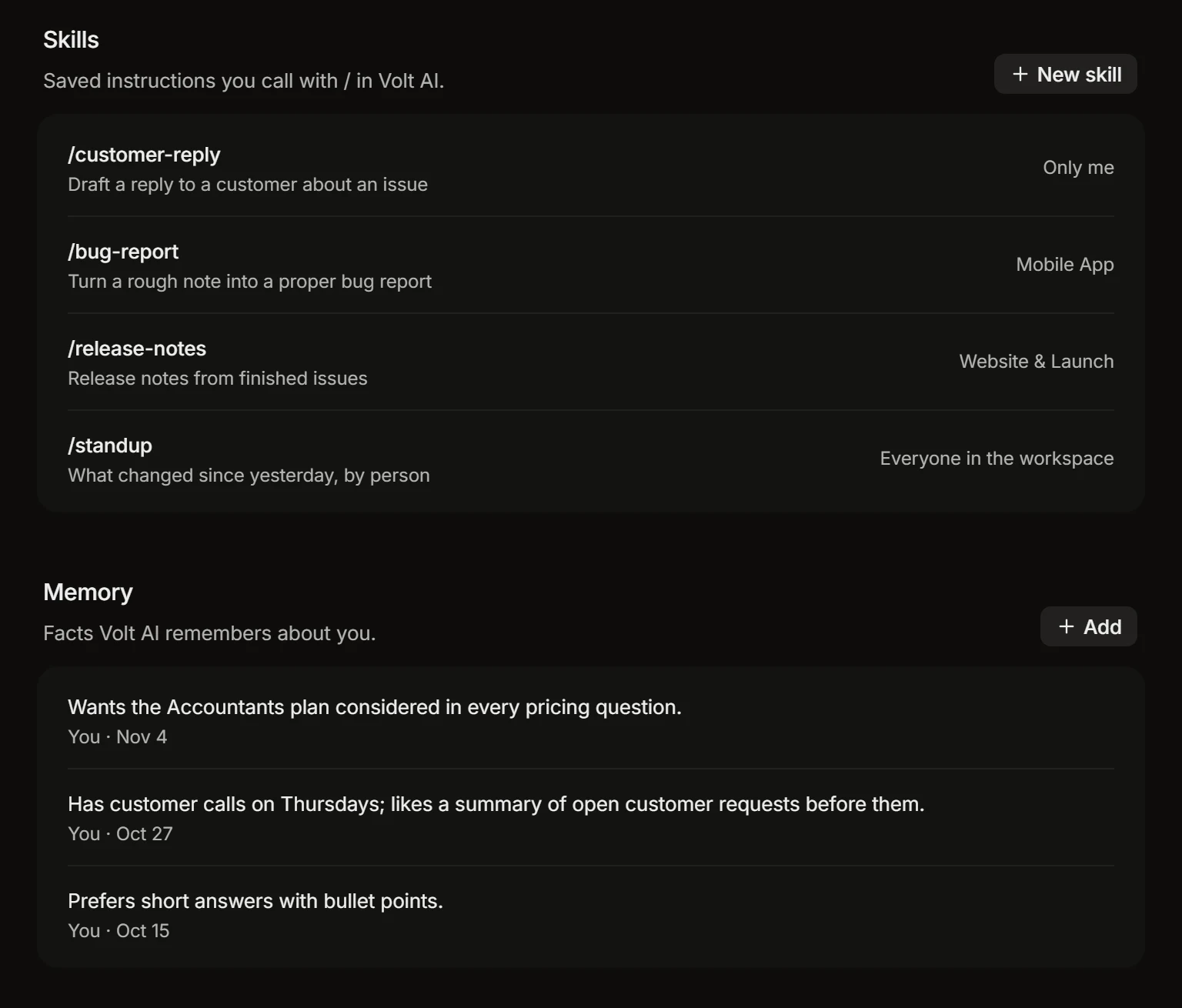
A skill has a name, a line on when to use it, and the instructions themselves, for example how your team writes its weekly update. Keep a skill to yourself, share it with a project, or with everyone in the workspace. A good answer can be saved as a skill from the conversation.
Guidance
Guidance is standing instructions Volt AI follows without being told each time. There are three levels:
- For you, in Settings › Volt AI: “Reply in English, short. Assign the issues you create to me.”
- For the workspace, written by admins in the workspace’s Volt AI settings: “Sprints start on Monday. Never close issues without a comment.”
- For a project, in the project’s settings: “Every issue gets a label. Bugs need steps to reproduce.”
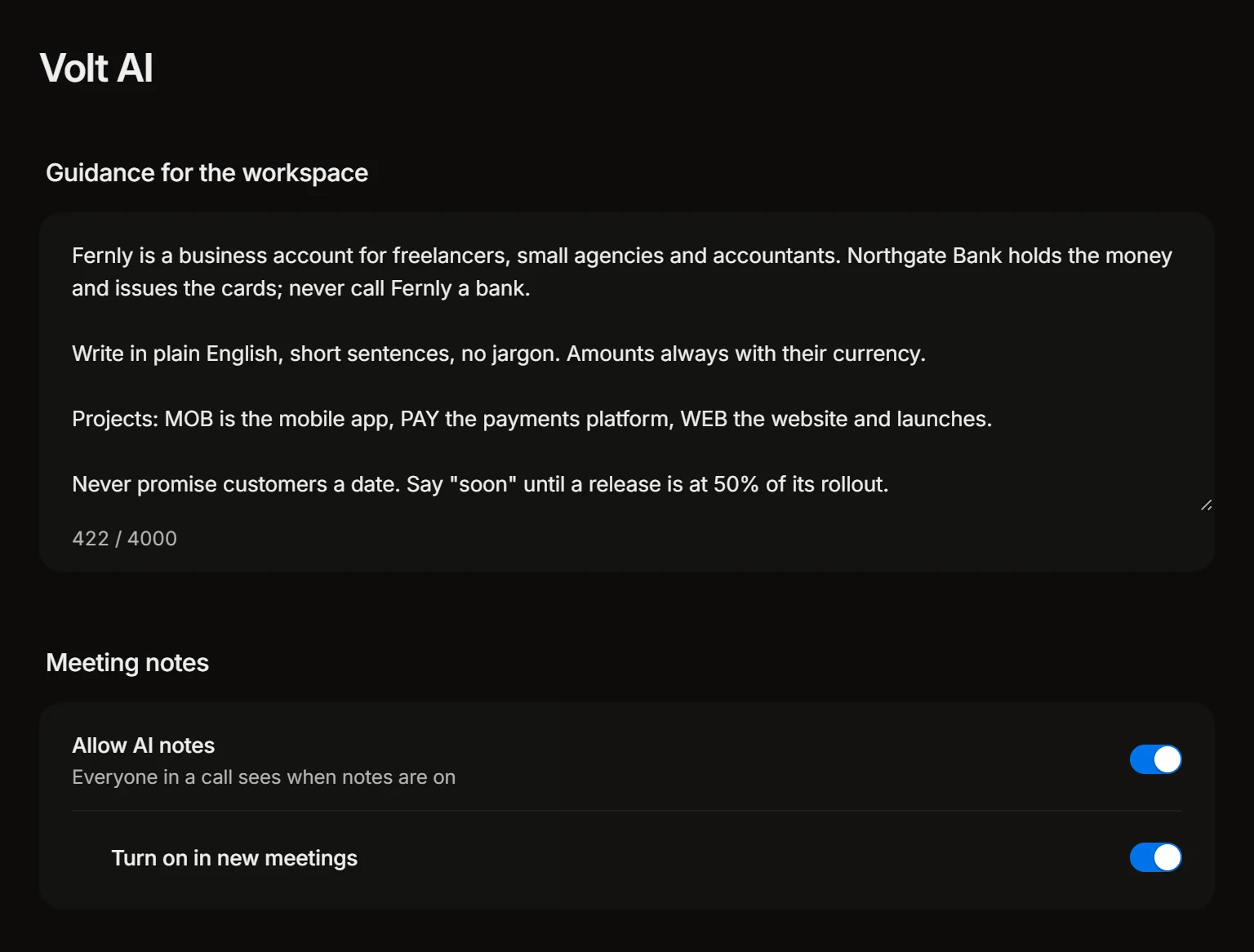
Loops and apps connected over MCP follow the same guidance.
Memory
Volt AI remembers facts about you that help it later, such as the team you lead or that you like short answers. You see every one of them under Memory, and can add, edit or remove them.
Credits and usage
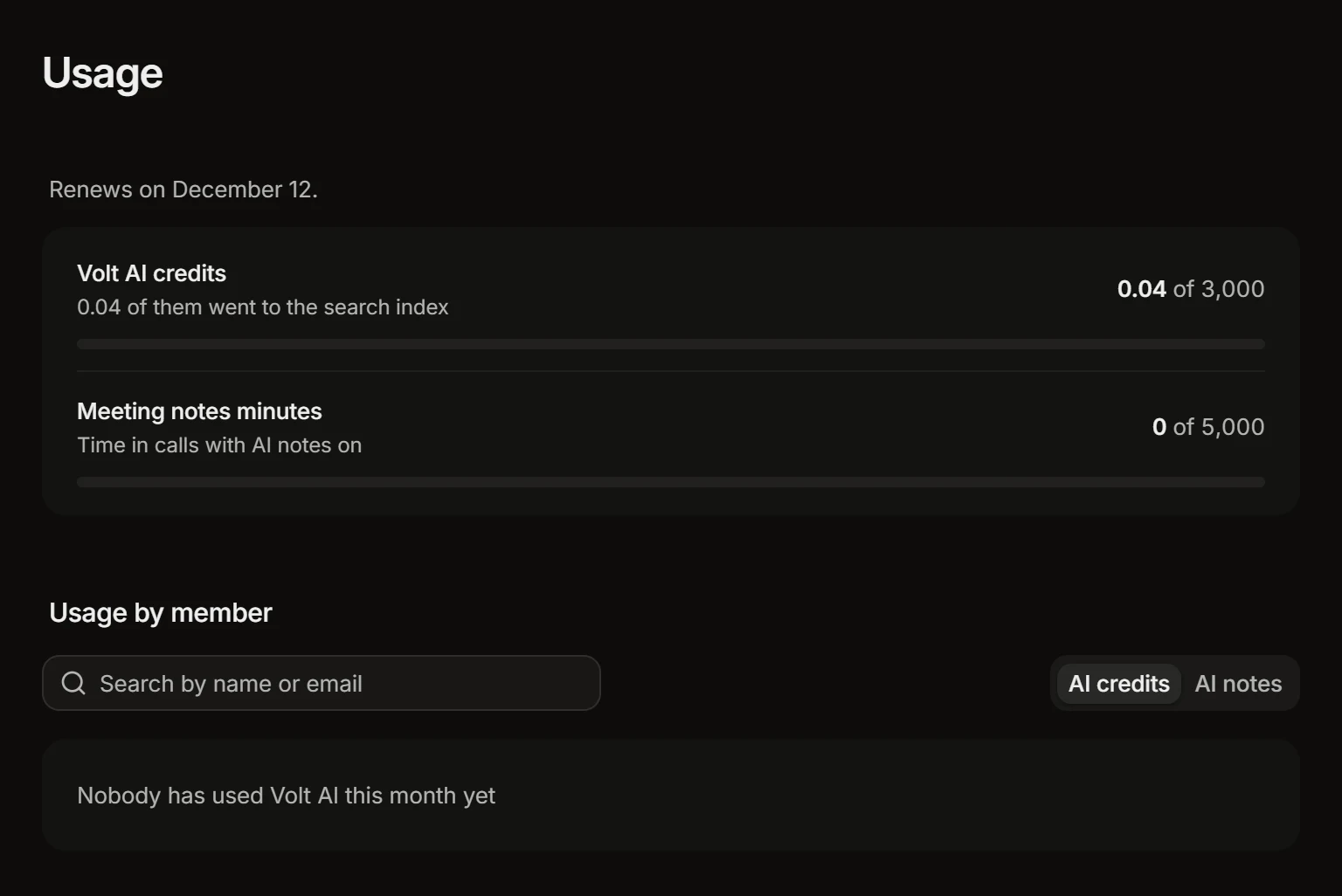
Volt AI’s answers spend the workspace’s AI credits, and so do the runs of loops and the summaries of calls. Settings › Usage shows how many are left this month and who used them.
See Plans and credits.