Project settings
A project’s key, statuses, members, default estimate, and what happens to sub-issues and closed issues.
Open a project’s settings from the project’s menu in the sidebar, or in Settings under Projects. They can be changed by people whose role lets them edit projects: see Members and roles.
General
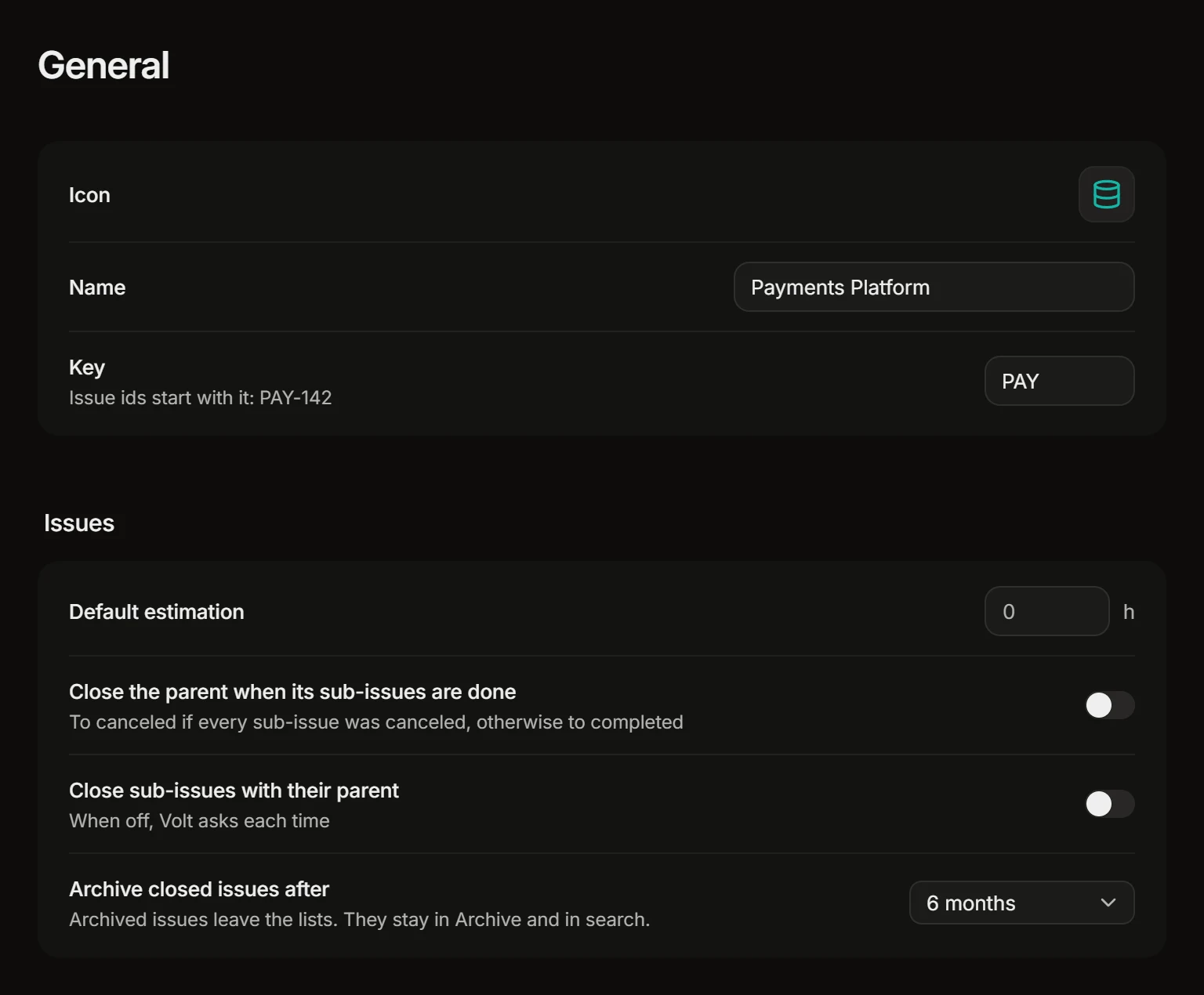
- Icon. Pick an icon and a color, or upload a logo.
- Name.
- Key. The letters every issue id in the project starts with, like
PAY-142.
Issues
- Default estimation. The estimate, in hours, that a new issue starts with. Leave it at 0 for none. Estimates are part of the Basic and Business plans.
- Close the parent when its sub-issues are done and Close sub-issues with their parent: see Sub-issues and relations.
- Archive closed issues after. How long a completed or canceled issue stays in the lists: 1, 3, 6, 9 or 12 months. After that it moves to the project’s Archive view. It keeps its links, and search still finds it.
An issue is not archived while it belongs to a sprint that hasn’t ended or to a track that is still going, or while its parent is still in the lists.
Guidance for Volt
Standing instructions that Volt AI follows whenever it works in this project, for example “Bugs need steps to reproduce” or “Anything that moves money needs two reviewers”. See Volt AI.
Statuses
Each project has its own statuses, in four groups that Volt understands: Backlog, In progress, Completed and Canceled.
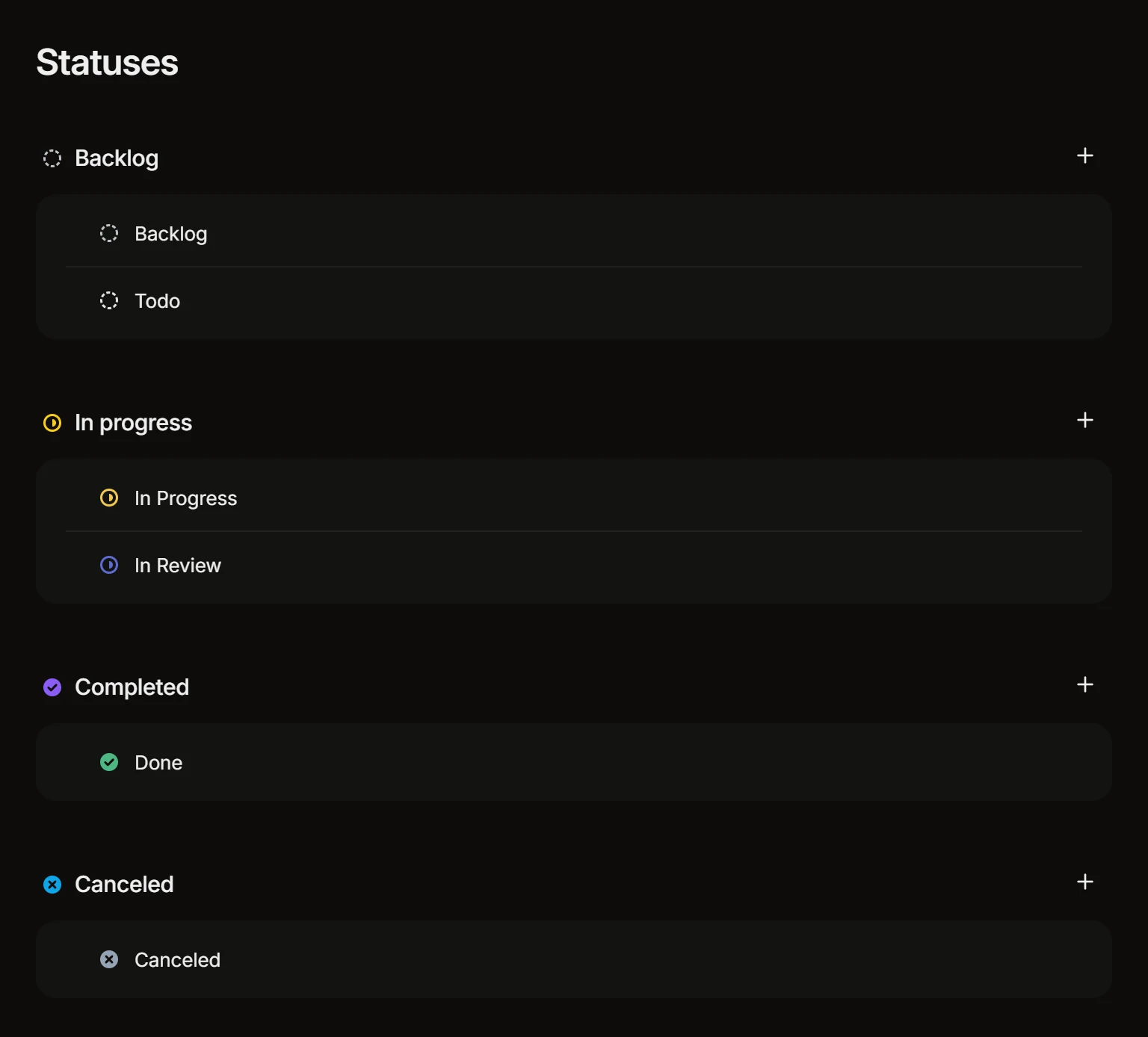
- Press + in a group to add a status, and give it a name and a color.
- Drag statuses to reorder them.
- To delete a status, choose the one its issues move to. The only status of a group can’t be deleted.
The groups are what the rest of Volt relies on: a filter by Status types, a board’s count of open issues and the archive all go by the group, whatever you call the statuses in it.
Members
The people who see the project and work in it. Press Add member to add someone from the workspace. A person’s role comes from the workspace.
Sprints
See Sprints.
Repositories
The repositories whose pull requests show on the project’s issues, and the rules by which a pull request moves an issue’s status. See GitHub and GitLab and Statuses from pull requests.
Integrations
The project’s Telegram groups: see Telegram.
Delete a project
Delete project, at the foot of the general settings, deletes the project with its issues and everything else in it for good.