Lists, boards and filters
See a project’s issues as a list or a board, narrow them with filters and change many at once.
Views
A project’s Issues opens with tabs across the top:
- All issues
- Assigned to me
- Active: what isn’t finished yet
- Current sprint
- Archive: issues closed long ago, see Project settings
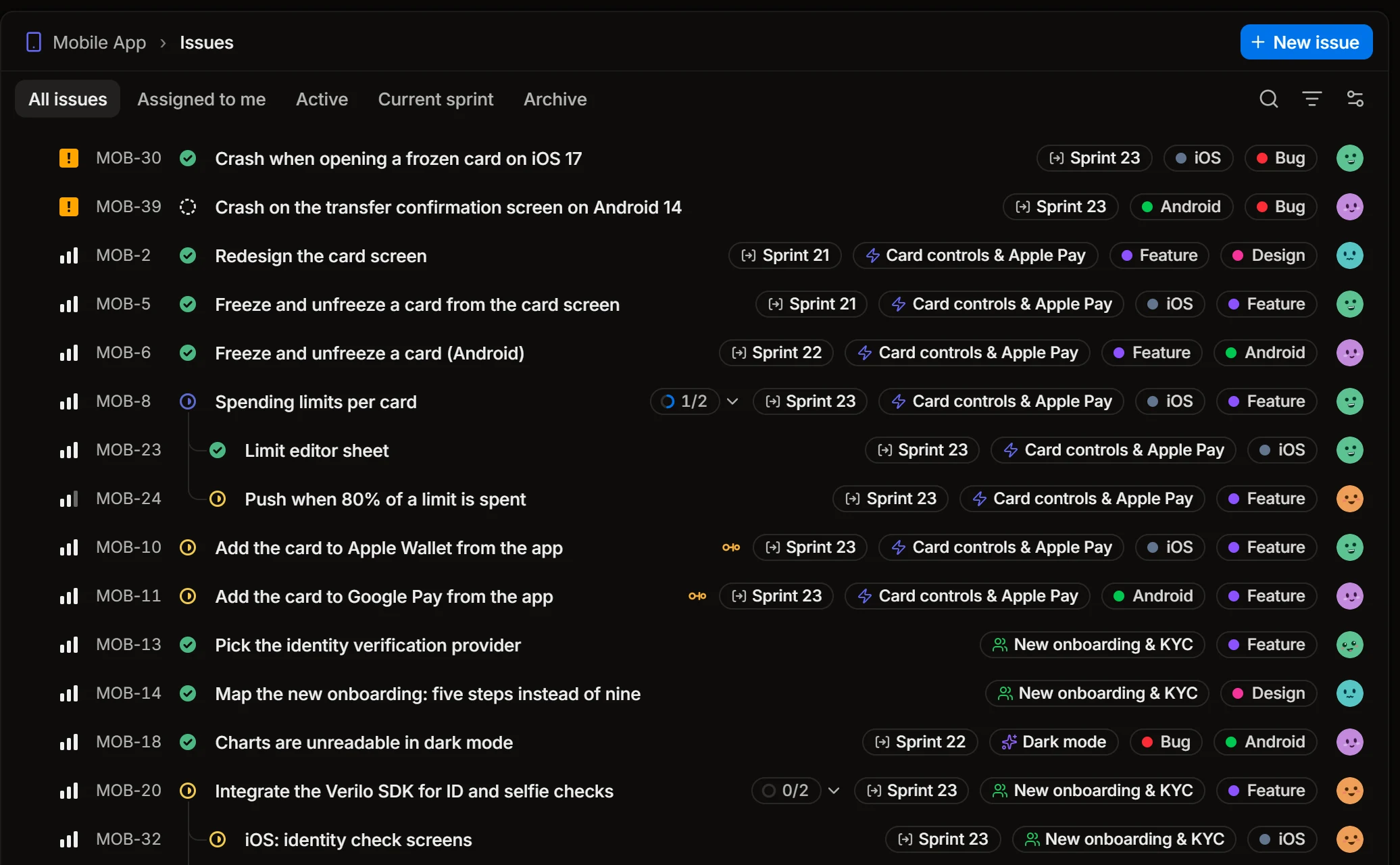
Each row shows the issue’s priority, id, status and title, then its sprint, track and labels, and its assignee. A parent shows how many of its sub-issues are done; an amber link marks an issue that is blocked.
Right-click a row to change the issue without opening it: its status, assignee, priority, labels, sprint or track, Assign to me, copying the link, the id or the title, and deleting.
Filter
The filter button narrows the list. Filters combine.
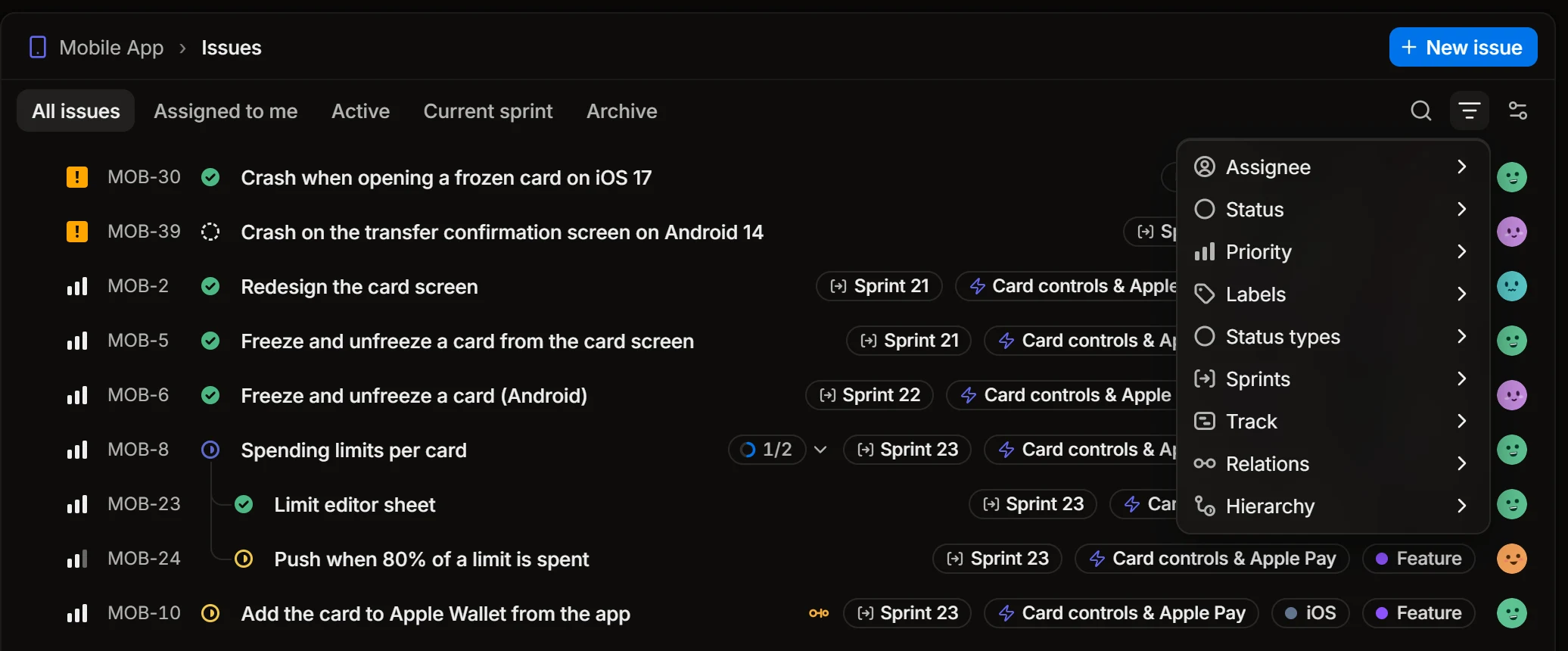
Filter by assignee, status, priority, labels, sprint or track. Status types takes every status of a kind at once, for example everything in progress whatever the status is called. Relations finds issues that are blocked, blocking, related or duplicates, and Hierarchy shows only top-level issues, only parents or only sub-issues.
Display
The display button changes how the issues are laid out.
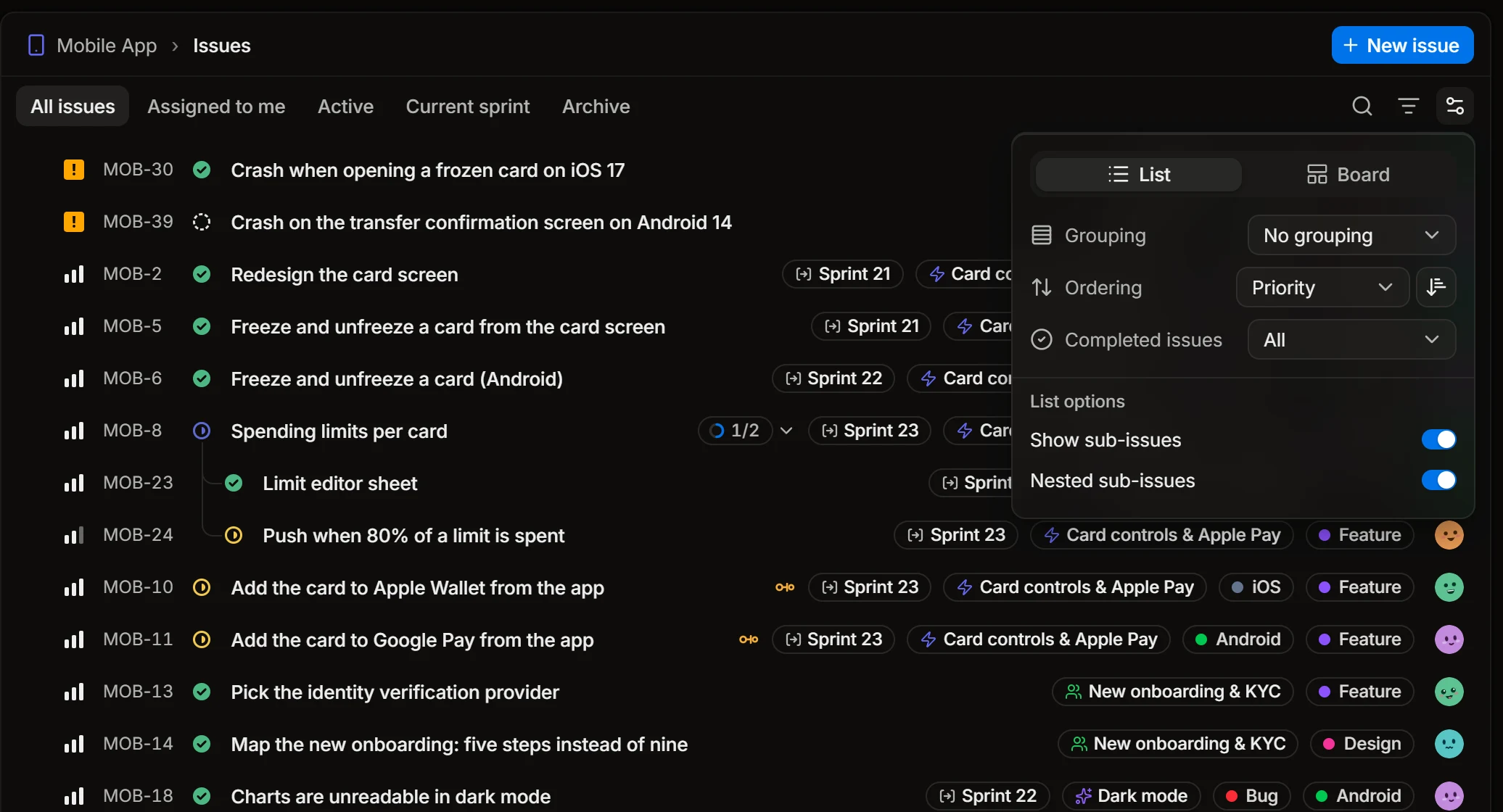
- List or Board.
- Grouping: by status, assignee, priority and so on, or none.
- Ordering, with its direction.
- Completed issues: which of the finished issues stay in the list.
- Show sub-issues and Nested sub-issues: whether sub-issues are listed, and whether they sit under their parent.
Board
On a board, issues are cards in columns, usually one column for each status. Drag a card to another column to move the issue there.
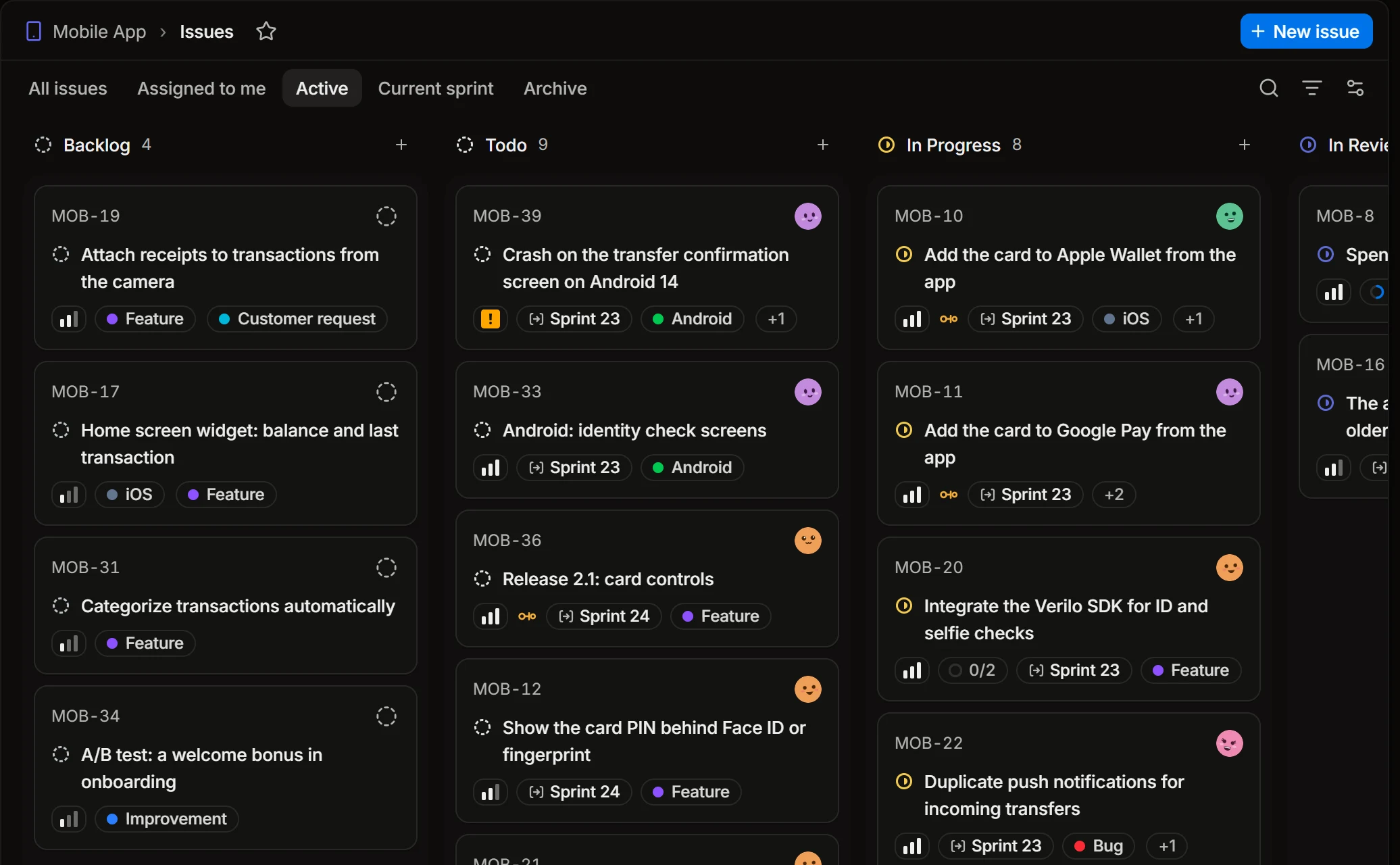
In the display menu a board also has Columns (what a column is), Swimlanes (rows across the columns, for example one for each assignee) and whether empty columns and swimlanes are shown.
Change many issues at once
Select issues with the checkbox at the start of a row; hold Shift and click another checkbox to take every issue between the two. Then open the command menu (Ctrl+K). It now acts on the selection:
- set the status, priority, assignee, sprint or track;
- Assign to me;
- add labels;
- Run loop: start a loop on each of the selected issues;
- delete them.
My issues
My issues in the sidebar gathers your issues from every project in three tabs: Assigned, Created and Subscribed. Its display menu can group them by Focus: urgent, blocking others, current sprint, in progress, not started, and closed in the last 7 days.