Sub-issues and relations
Split an issue into smaller ones, and mark which issues block, repeat or relate to which.
Sub-issues
A sub-issue is an issue of its own, with its own assignee and status, that belongs to a larger one. Sub-issues can have sub-issues.
Create sub-issues
Open the parent and press Add sub-issues under its description, or press Ctrl+Shift+O on an open or selected issue. Type a title and press Enter to create one and start the next. Paste a list to create one sub-issue for each line.
To put an existing issue under a parent, choose Add existing issue as sub-issue, or select the issues and press Ctrl+Shift+P to pick their parent. A sub-issue lives in the same project as its parent.
In lists
A parent shows its progress, like 1/2, and its sub-issues are listed under it. The display menu turns them off or lists them flat: see Lists, boards and filters.
Closing a parent and its sub-issues
Two switches in the project’s settings, under Issues, say what closing does:
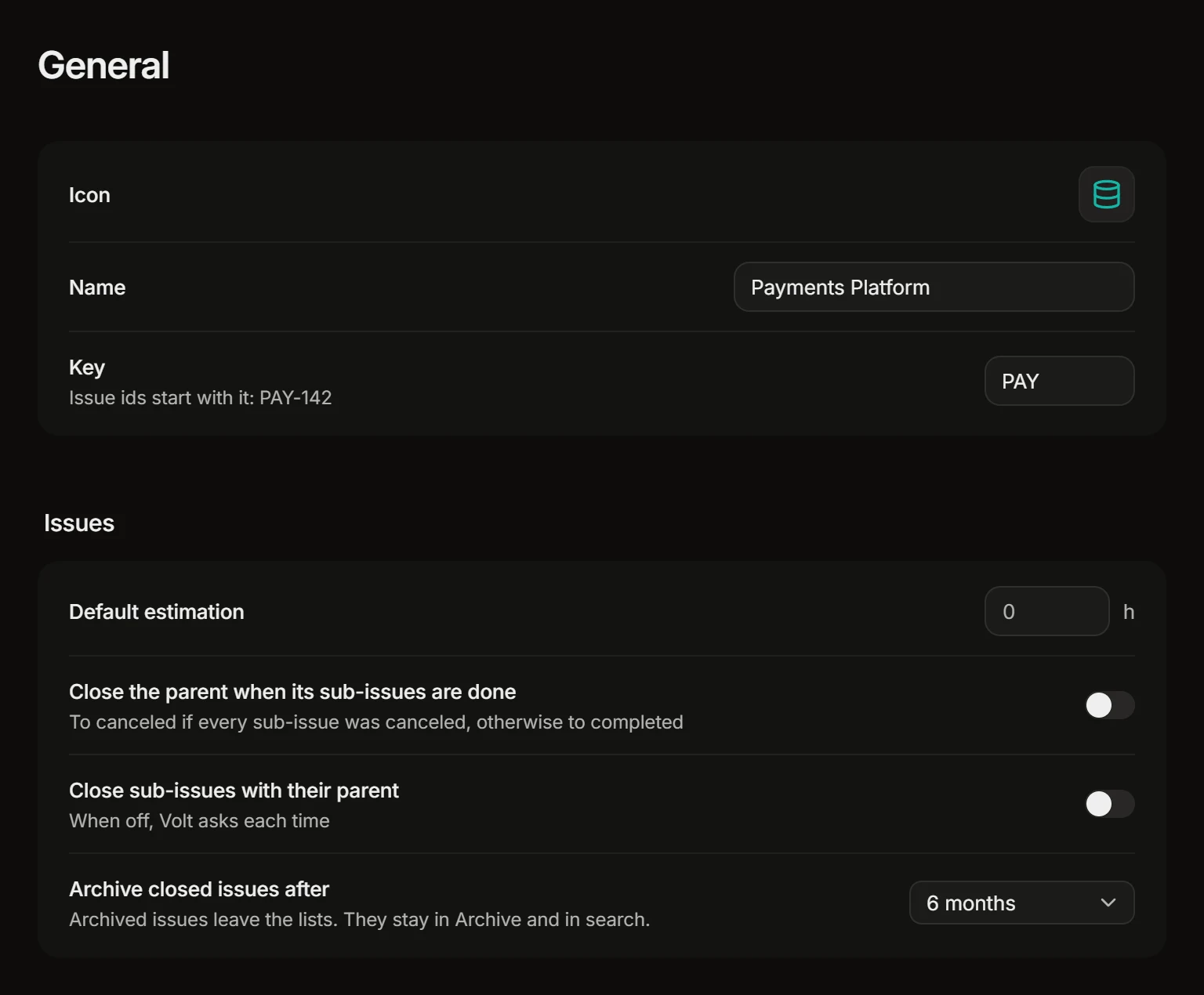
- Close the parent when its sub-issues are done. When the last open sub-issue is closed, the parent closes too: to canceled if every sub-issue was canceled, otherwise to completed.
- Close sub-issues with their parent. When you close a parent, its open sub-issues close with it. While this is off, Volt asks each time whether to close them or keep them open.
Deleting a parent doesn’t delete its sub-issues: they stay as standalone issues.
Relations
A relation says how two issues depend on each other. Add one from Relations on an issue, or with a shortcut on the open or selected issues.
| Relation | Shortcut | What it means |
|---|---|---|
| Blocked by | M then B |
This issue can’t be finished until the other one is. |
| Blocks | M then X |
The other issue waits for this one. |
| Related | M then R |
The two have to do with each other. |
| Duplicate of | M then D |
This issue repeats the other one. |
A blocked issue is marked in lists, and the mark names what blocks it. Issues can be related across projects; someone without access to the other project sees that a relation exists, but not the issue.
Find them
The filter menu has Relations (blocked, blocking, has related issues, duplicates) and Hierarchy (top-level issues, issues with sub-issues, sub-issues).
Tell people when the way is clear
The loop Unblocked watches for finished issues and tells the assignees of the issues they were blocking. See Loops.