Tracks
A track is a line of work inside a project, with a goal, a lead, a deadline and milestones.
Where a sprint is a period of time, a track is a piece of the project’s plan: a feature, a launch, a migration. Its issues can spread over many sprints.
A track’s page
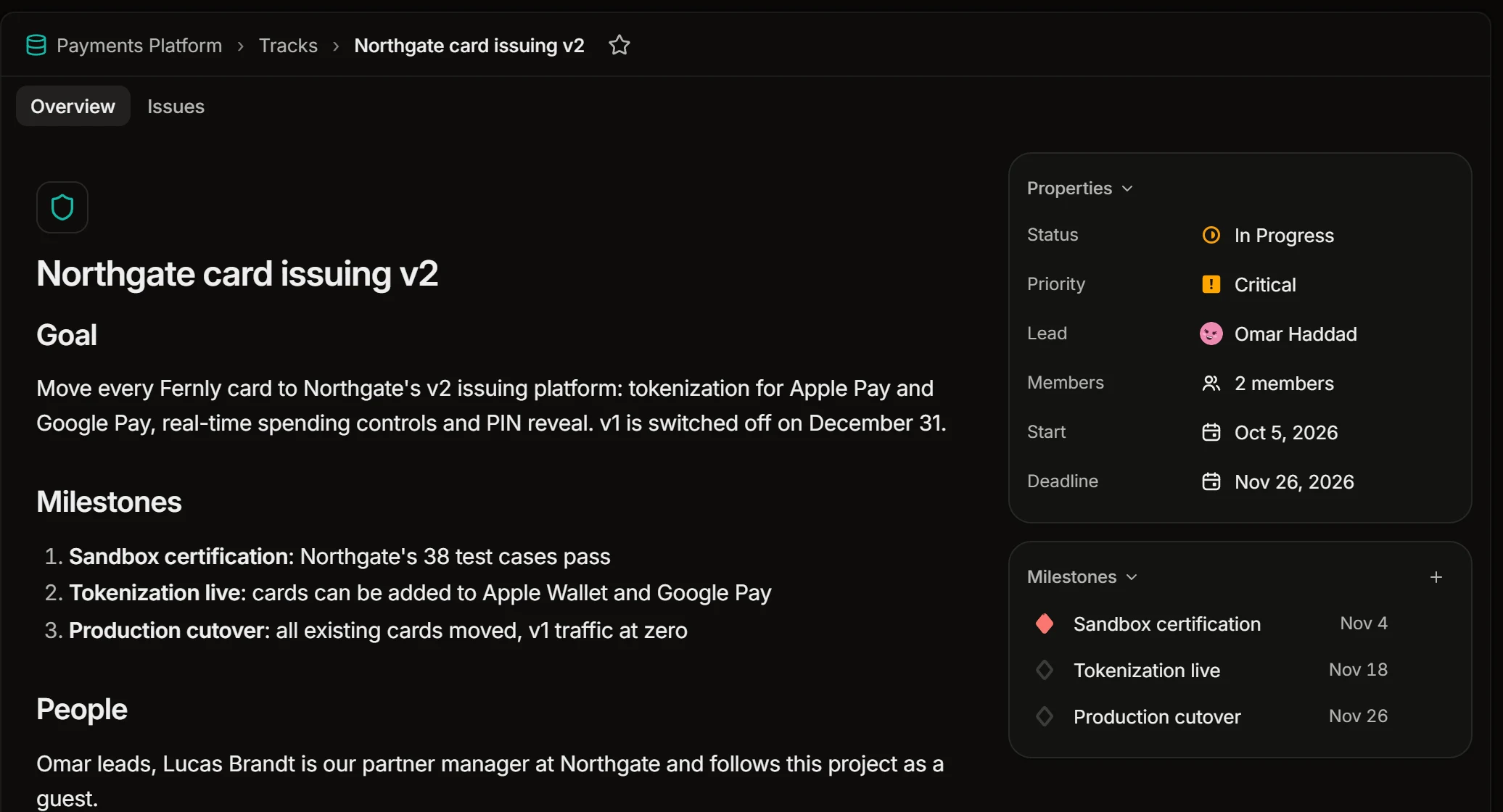
Overview is a page of free text for the track’s goal, its milestones and the people involved. Beside it are the track’s properties:
- Status and Priority
- Lead: the person who answers for it
- Members
- Start and Deadline
Issues lists the track’s issues, with the same filters and display options as any list.
Create a track
Open the project’s Tracks and press New track. Give it a name, then an icon and a color to tell it apart in lists.
Milestones
A milestone is a point on the way with a date: “Sandbox certification”, “Public release”. Add milestones on the track’s page with Add milestone.
Put issues on a track
Set Track on an issue, and Milestone if the track has them. To move several issues at once, select them in a list and choose Set track in the command menu (Ctrl+K).
An issue’s track shows next to it in every list, and the filter menu can narrow a list to one track or to issues with none.
The list of tracks
The project’s Tracks lists every track with its deadline. The display menu can show them on a Timeline as well.